

Accordion tuning: measure reeds and tremolo
Use SmeggTuner to check individual reeds, the beat between them, octaves and chords. Start with the desktop app and a microphone.
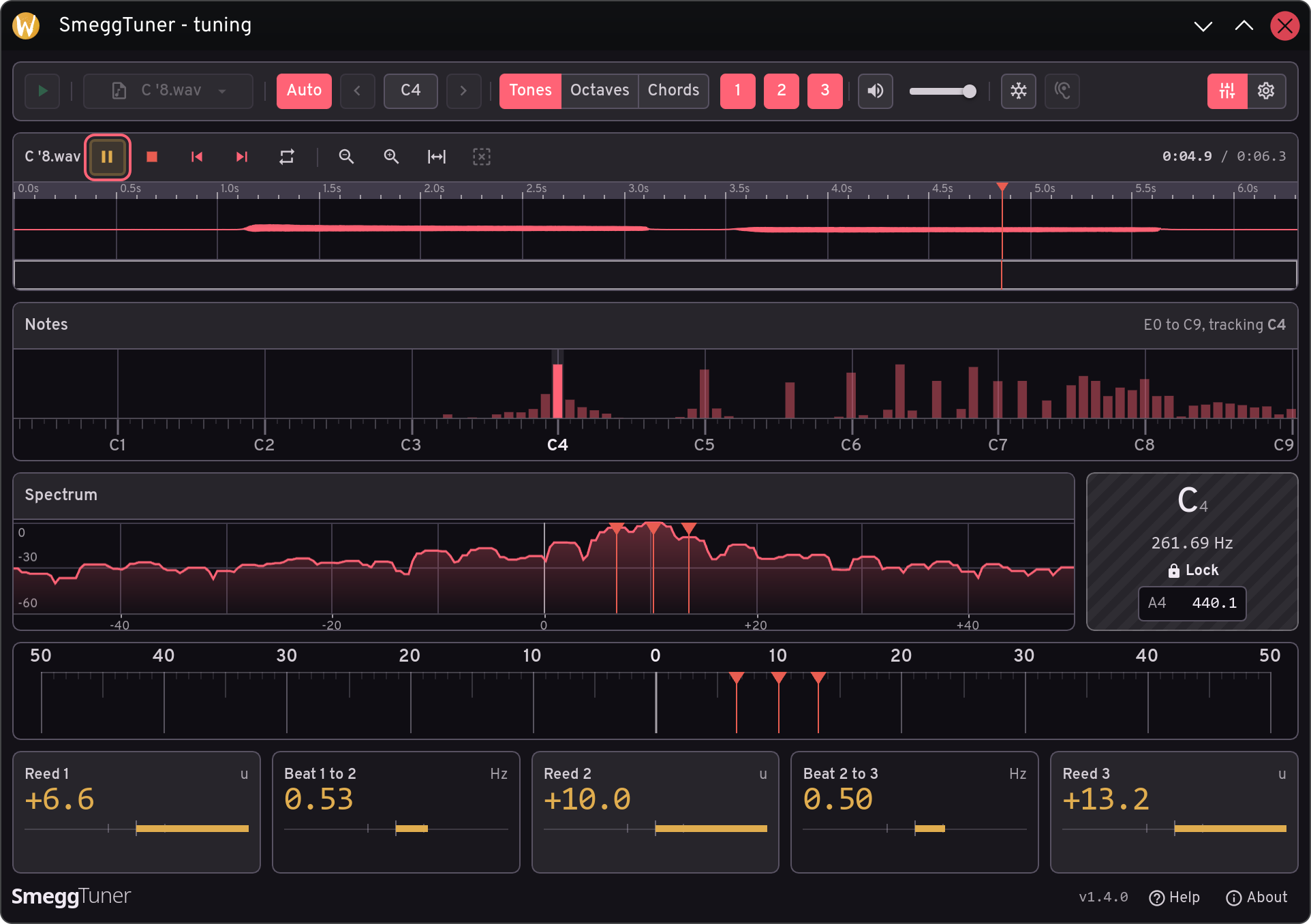
Accordion tuning measurements need to distinguish the reeds that are sounding. A single-reed register gives one pitch to compare with a reference. A tremolo register combines deliberately offset reeds, producing beats. Bringing every displayed deviation to zero would remove those intended differences.
This guide covers taking and reading measurements in SmeggTuner on Linux or Windows. The browser and Android editions are experimental. These are software instructions, not directions for filing, scraping or otherwise adjusting reeds.
Set up the desktop app in five steps
- Install and choose the input. Get the appropriate package from downloads, open SmeggTuner and connect your microphone. Choose that device in the microphone menu. Stop measurement before changing inputs; refresh the device list if a newly connected microphone is missing.
- Start with one reed. Choose a single-reed accordion register. Leave Auto, Tones and Reeds 1 selected. Use this simple arrangement to check the input and note detection before selecting additional reeds for a tremolo measurement.
- Calibrate the selected microphone input. Press Start and choose Calibrate now if prompted. Alternatively, open sound card calibration in Settings. This corrects audio timing separately for each microphone; no reference note is needed. Wait about a minute for the result. Follow any retry message, then return to Tune and press Start again.
- Set the pitch reference and allow quiet time. Click the A4 value, enter the required frequency between 430 and 450 Hz, and press Enter. Leave 440 Hz unless your work requires another reference. Stay quiet during the first few seconds of background noise learning.
- Play steadily and inspect the result. Hold one note with steady bellows pressure and wait for a stable reading. Check the detected note before interpreting its deviation. For tremolo, select the corresponding reed buttons and read the separate reed and beat cards. Stop when finished.
Read pitch and beats separately
A negative deviation means the reed is below the selected pitch; a positive value means it is above. Zero means it matches that reference. A blank card or not heard result does not mean zero. Lock indicates a stable reading, not independent confirmation that the pitch is correct.
In Settings, choose the display units that suit the measurement:
- Cents express pitch intervals: one cent is one hundredth of a semitone.
- Units express deviation relative to the note: one unit is 0.06% of its frequency.
- Hz expresses beat rate as cycles per second; beat readings can also use units.
Read Beat 1 to 2 and Beat 2 to 3 alongside the reed deviations. The intended tremolo determines which offsets are useful. Changing display units or tolerance settings changes how you judge the result, not the sound itself.
If the reading is unreliable
If the input is too strong, move the microphone farther away or reduce its level. Check the selected input if nothing appears. Use the ear button to relearn background noise, keeping quiet for about four seconds. Repeat the note steadily before accepting the result.
Inspect an existing WAV recording
Choose Analyze recording in the microphone menu and open a WAV file. Use its own Play button to measure it. Select and loop a steady passage, or zoom the waveform to inspect a shorter section. To resume live measurement, stop playback, select your microphone and press Start.
Know the measurement limits
SmeggTuner is beta software with limited accordion and sound card testing. Verify readings against a trusted tuner before any physical reed work. Workshop, sessions, recorded readings, target curves and tuning reports are disabled in 1.4.
Consult the current illustrated usage guide for control details. For platform, license and scope information, see SmeggTuner as an alternative to Dirk's Tuner.